A little art at the door
Three quieter introductions to Alkemist, led by a sculpture, a shader, and an imagined working surface.
The first homepage studies put the product explanation first. The next question was more visual: could the opening feel curious and inviting, while the rest of the site stayed focused on the work?
We made three art-led openings. Each uses the same modest headline, Ubuntu typography, blackboard and whiteboard surfaces, and practical content below. The art changes the first impression.
Sculpture: something to turn over
The first opening places a folded mathematical ribbon beside the introduction. Forty-eight strips follow a three-half-twist surface, with the eight Alkemist inks mirrored across its width. A small wireframe octahedron adds a second point of interest. The camera turns slowly by default—about one orbit every five minutes—while the companion gently drifts and turns. Dragging, keyboard input, or Pause motion stops the ambient movement. Reduced-motion visitors start with a still scene.
The still fallback is sampled from the same parametric surface. It remains available if WebGL cannot initialize or the graphics context is lost. The lit material changes the perceived brightness of the inks; the underlying material colors are shared with the rest of the site.
This is our starting recommendation. The artwork is also an invitation to interact, which connects the first impression to the kind of publishing Alkemist supports.
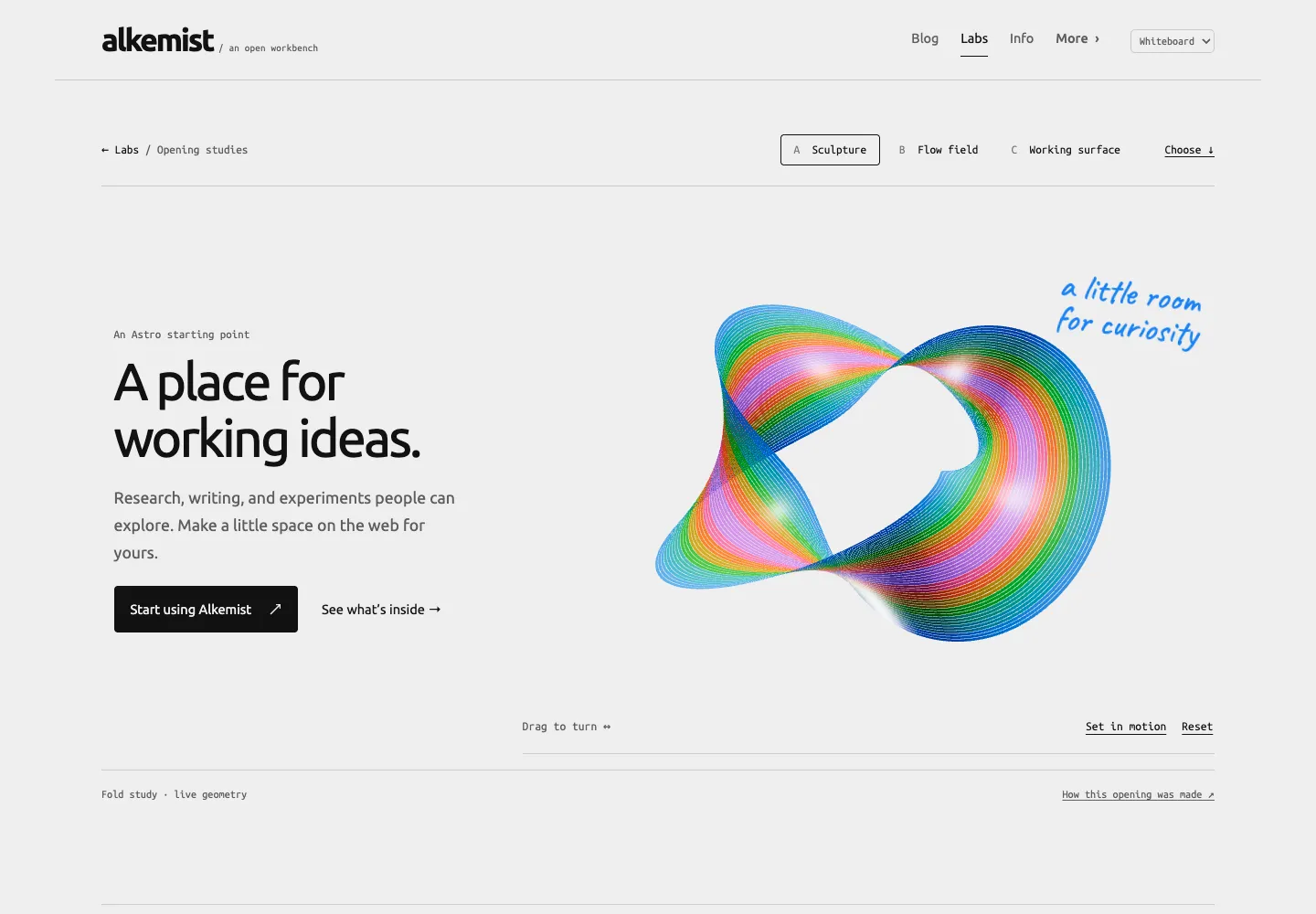
Original browser capture at 1440 × 1000, before the small companion was added. The same opening was checked at 390px and 320px widths. A touch review caught the camera library overriding the page’s vertical-scroll gesture; the corrected canvas lets a vertical swipe scroll and a horizontal drag turn the sculpture.
Flow field: let the board become the canvas
The second opening gives a fragment shader the full width of the page. Stream, Vortex, and Contours trace different scalar fields with sixty-four colored lines. They are generative compositions, not measurements of a physical system.
The field is still by default. Play adds slow changes to its parameters. Hidden and offscreen scenes stop scheduling frames; changing to a reduced-motion preference stops motion. The shader keeps the same eight inks while the background follows the board theme.
This is the most abstract opening. It leaves more interpretation to the visitor, so the short explanation and getting-started link sit immediately beneath it.
Working surface: a human scale
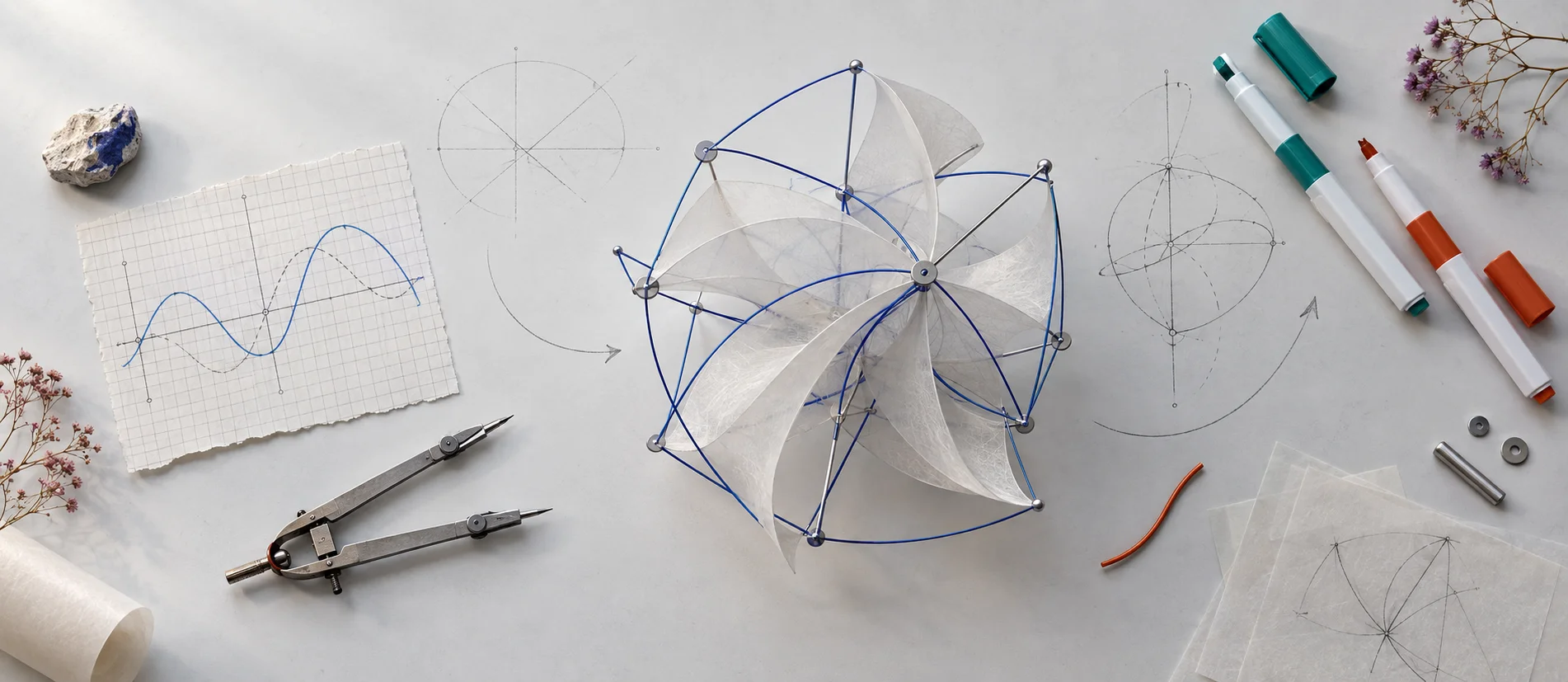
The third opening is an AI-generated illustration made with the built-in image-generation tool. It imagines a worktable with paper, wire, sketches, and colored markers. It is concept art, not a photograph of a built prototype or evidence that the depicted mechanism works.
The image keeps its photographed light surface on both themes. It is not inverted or recolored for blackboard mode. The source PNG and exact generation prompt are kept in the repository; Astro produces responsive WebP versions using its image pipeline.
This direction feels tactile and editorial. It needs no graphics engine and gives a research group a natural place for an actual project photograph later.
Keep the opening replaceable
These are site-owned experiments. They do not add new public Alk APIs or change the current homepage. The shared packages still own the theme and reusable publishing components; a consuming site owns its artwork, copy, and composition. The homepage customization guide describes that boundary.
The review page includes live switches for notes, artwork captions, and the example below the opening. Choices stay in browser storage; copied links carry the selected view, while freeform notes stay out of the URL. Copying a direction does not publish it.