Let the data speak.
Zoom into a signal, compare a series, inspect the source. Keep the evidence within reach.
Lead with the promise. Prove it with something people can use.
My recommendation: the clearest introduction to the product.Let the website feel like the research someone could publish.
Best for an editorial, academic identity. Takes longer to explain the toolkit.Make the first step feel concrete: an idea, an agent, and a site.
Best for an agent-led launch. The scientific tools need a second look.An Astro starter for inventors & researchers
Articles, interactive charts, 3D models, and working experiments. A thoughtful starting point for your own corner of the web.
bring the question. show the working.
Synthetic data
A synthetic damped oscillator. Explore the data at any scale.
Inspect the prepared rows plotted in this chart, or save the current chart view.
The table loads alongside the chart.
oscillation.csv---
import Chart from '@alkemdotdev/alkemist-components/chart';
---
<Chart
src="/test/oscillation.csv"
type="line"
x="time"
y="position"
title="A signal finding its quiet"
description="A synthetic damped oscillator. Explore the data at any scale."
xLabel="Time (s)"
yLabel="Position (m)"
height={170}
grid={true}
sample={true}
/>The CSV is included with this demo. Use your own URL and column names.
An Alkemist-generated specimen. Uncompressed GLB / glTF 2.0.
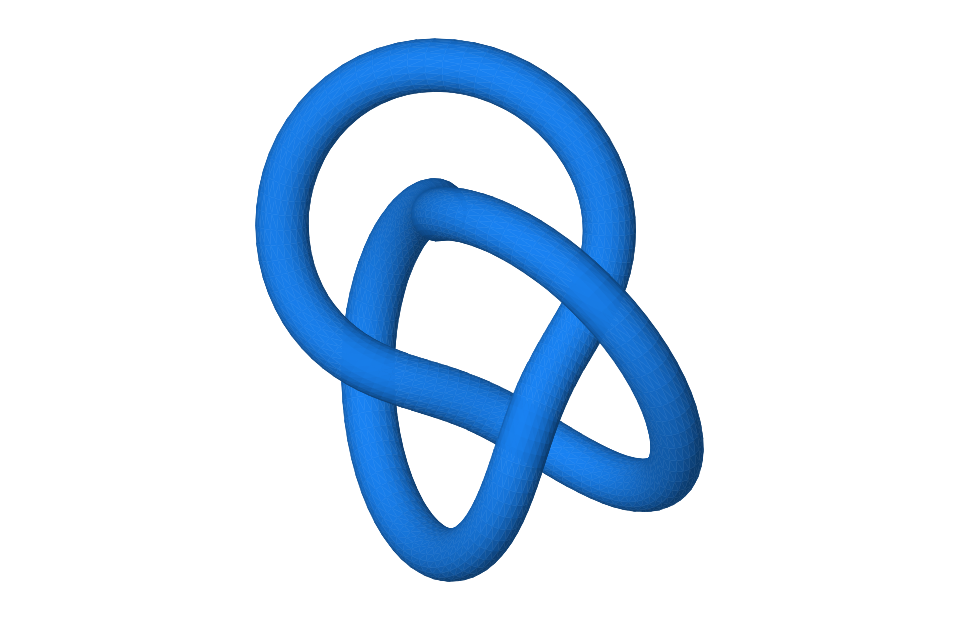
Drag to orbit · Shift + scroll to zoom
torus-knot.glb---
import Model from '@alkemdotdev/alkemist-components/model';
---
<Model
src="/test/torus-knot.glb"
title="A knot, from every angle"
poster="/test/torus-knot.svg"
description="An Alkemist-generated specimen. Uncompressed GLB / glTF 2.0."
/>The model is included with this demo. This viewer supports uncompressed GLB and glTF; NeRF and splat viewers are planned.
Mathematical writing
Math renders the equation; this small site widget draws the signal.
signal.astro---
import Math from '@alkemdotdev/alkemist-components/math';
---
<Math
tex={"s_\\omega(t)=\\sin(\\omega t)"}
label="A family of signals, one parameter."
/>This source renders the equation. The slider and SVG plot are ordinary site-owned HTML and TypeScript.
Zoom into a signal, compare a series, inspect the source. Keep the evidence within reach.
Make a model something people can turn over and understand for themselves.
Bring equations, code, notes, and interactive figures together in the same article.
Make it yours
Your identity, your pages, your arrangement. Start with the pieces that fit the work.
A personal research notebook
Notes, experiments, and ideas from a work in progress.
People working on hard questions
Introduce your team, explain the work, and let people explore the results.
A working idea, explained
Give your project a home for its demo, documentation, and development story.
Illustrative layouts for comparison. The current starter gives you one editable Astro site; these preset compositions are design proposals.
From a starting point to your own site
Start with a coding agent or a terminal. Your content lives in your site; shared components can be updated as Alkemist grows.
Alkemist / A home for curious work
A research notebook, a place to experiment, a website of your own. Built on Astro, with the instruments already on the desk.
A curve tells a story. Its samples let you check it. An interactive view lets you ask your own question.
Bring the explanation and the evidence together. Inspect the data below, turn the geometry, or look at the equation and its source.
Synthetic data
A synthetic damped oscillator. Explore the data at any scale.
Inspect the prepared rows plotted in this chart, or save the current chart view.
The table loads alongside the chart.
oscillation.csv---
import Chart from '@alkemdotdev/alkemist-components/chart';
---
<Chart
src="/test/oscillation.csv"
type="line"
x="time"
y="position"
title="A signal finding its quiet"
description="A synthetic damped oscillator. Explore the data at any scale."
xLabel="Time (s)"
yLabel="Position (m)"
height={170}
grid={true}
sample={true}
/>The CSV is included with this demo. Use your own URL and column names.
An Alkemist-generated specimen. Uncompressed GLB / glTF 2.0.
Drag to orbit · Shift + scroll to zoom
torus-knot.glb---
import Model from '@alkemdotdev/alkemist-components/model';
---
<Model
src="/test/torus-knot.glb"
title="A knot, from every angle"
poster="/test/torus-knot.svg"
description="An Alkemist-generated specimen. Uncompressed GLB / glTF 2.0."
/>The model is included with this demo. This viewer supports uncompressed GLB and glTF; NeRF and splat viewers are planned.
Mathematical writing
Math renders the equation; this small site widget draws the signal.
signal.astro---
import Math from '@alkemdotdev/alkemist-components/math';
---
<Math
tex={"s_\\omega(t)=\\sin(\\omega t)"}
label="A family of signals, one parameter."
/>This source renders the equation. The slider and SVG plot are ordinary site-owned HTML and TypeScript.
A useful research website gives the reader somewhere to go next: into the figure, back to the data, or on to the next idea.
See the components behind the page →Give the derivation the typography it deserves.
Leave something usefulA small tool can carry an idea further.
Make a home for itBlog, Labs, Info. Add project docs when you need them.
Begin with the Alkemist starter, then make it sound and feel like you.
Start using Alkemist ↗Your idea / Your agent / Your website
An Astro starting point for research websites—with scientific components, clear docs, and a setup brief your coding agent can follow.
“Set up my own research website with Alkemist. Give it a home for my writing, interactive experiments, and the people behind the work.”
The full brief includes installation, customization, Git, hosting, and checks for the deployed site.
Read the complete instructions →Generate an independent project with real installed components and editable examples.
Add articles, CSV data, models, and small interactive apps to ordinary Astro pages.
Connect your repository to your host. Check a preview before sharing a new version.
A small vocabulary. Useful results.
Start with a real chart, a real model, or an equation. Open the source to see what creates the result.
npm run create:site -- ../my-lab --provider cloudflareSynthetic data
A synthetic damped oscillator. Explore the data at any scale.
Inspect the prepared rows plotted in this chart, or save the current chart view.
The table loads alongside the chart.
oscillation.csv---
import Chart from '@alkemdotdev/alkemist-components/chart';
---
<Chart
src="/test/oscillation.csv"
type="line"
x="time"
y="position"
title="A signal finding its quiet"
description="A synthetic damped oscillator. Explore the data at any scale."
xLabel="Time (s)"
yLabel="Position (m)"
height={170}
grid={true}
sample={true}
/>The CSV is included with this demo. Use your own URL and column names.
An Alkemist-generated specimen. Uncompressed GLB / glTF 2.0.
Drag to orbit · Shift + scroll to zoom
torus-knot.glb---
import Model from '@alkemdotdev/alkemist-components/model';
---
<Model
src="/test/torus-knot.glb"
title="A knot, from every angle"
poster="/test/torus-knot.svg"
description="An Alkemist-generated specimen. Uncompressed GLB / glTF 2.0."
/>The model is included with this demo. This viewer supports uncompressed GLB and glTF; NeRF and splat viewers are planned.
Mathematical writing
Math renders the equation; this small site widget draws the signal.
signal.astro---
import Math from '@alkemdotdev/alkemist-components/math';
---
<Math
tex={"s_\\omega(t)=\\sin(\\omega t)"}
label="A family of signals, one parameter."
/>This source renders the equation. The slider and SVG plot are ordinary site-owned HTML and TypeScript.
Make it yours
Your identity, your pages, your arrangement. Start with the pieces that fit the work.
A personal research notebook
Notes, experiments, and ideas from a work in progress.
People working on hard questions
Introduce your team, explain the work, and let people explore the results.
A working idea, explained
Give your project a home for its demo, documentation, and development story.
Illustrative layouts for comparison. The current starter gives you one editable Astro site; these preset compositions are design proposals.
Your turn
I recommend A · Workbench: visitors see what Alkemist is and try it immediately. Borrow C’s setup brief and B’s handwritten editorial details.
These are homepage proposals. Your choices are saved in this browser; copying them lets you send the decision back.